
Learn how to secure WhatsApp from hackers in 2025 with simple privacy settings, 2-step verification, and chat backup protection. Stay safe online with this beginner-friendly guide.
Table of Contents
Why You Must Keep WhatsApp Safe in 2025
Stop and think for a moment. How many private chats, family photos, OTP codes, and even bank details are sitting in your WhatsApp right now?
Scammers know this. That’s why learning how to secure WhatsApp from hackers is so important. I know people who have lost money just because a hacker took over their account.
Here is why you should do something about it today:
- Criminals can grab your OTPs and break into your accounts.
- They can pretend to be you and trick your friends and family.
- They can hide spyware inside harmful links.
But there is good news. You can protect WhatsApp from hackers by changing a few simple settings.
How to Know If Your WhatsApp Is Hacked
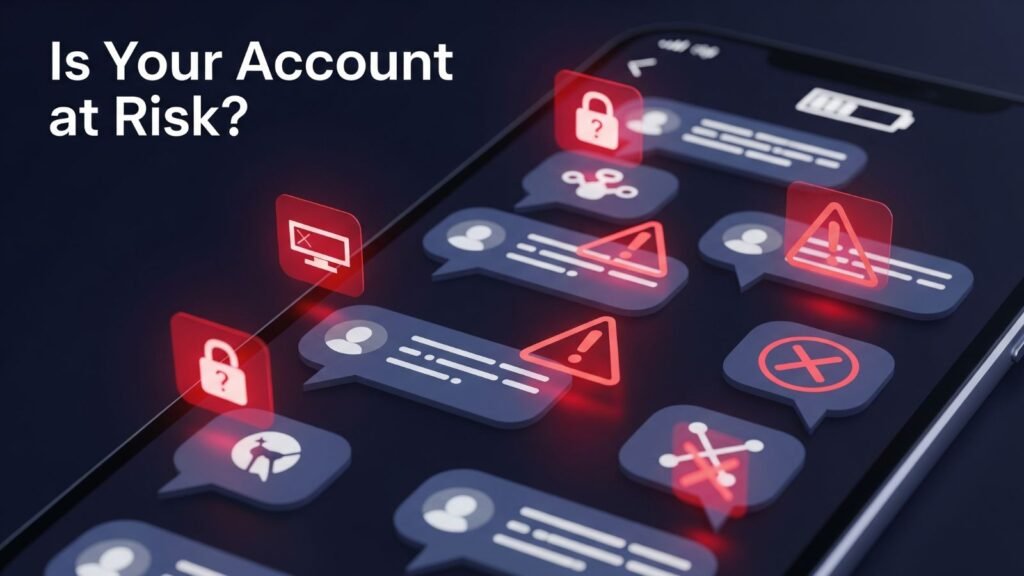
Before we make things safe, let’s see if your account is already at risk. Watch out for these warning signs:
- You see messages you never wrote.
- You get OTP texts you didn’t ask for.
- Your phone battery dies too fast.
- You find unknown devices in Linked Devices.
Also Read This: Click here
Quick Tip:
Open Settings → Linked Devices. If a device looks strange, log it out immediately.
7 Simple Steps to Protect WhatsApp From Hackers
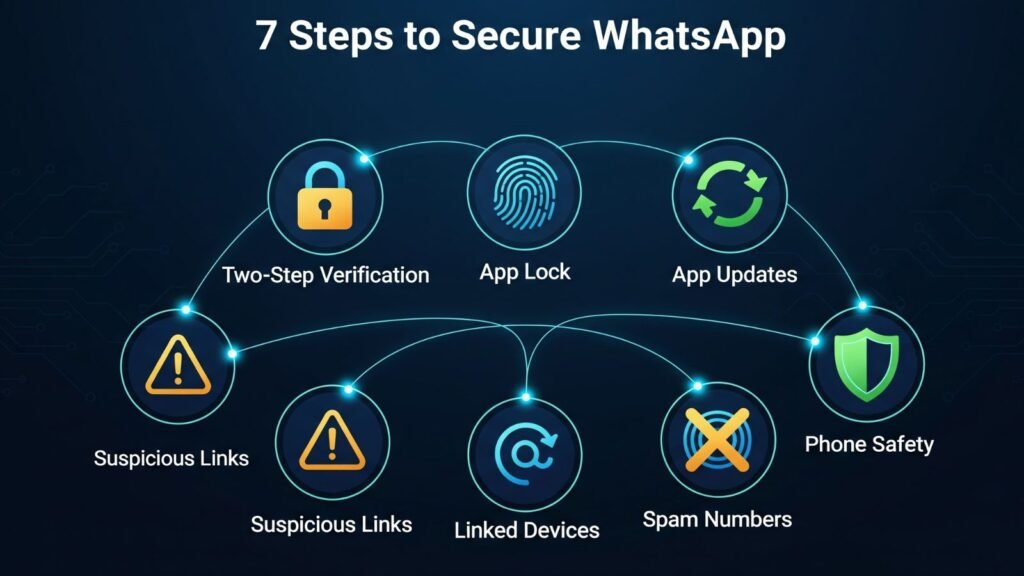
Let’s get to work. These 7 tips are what I use to keep my own WhatsApp safe.1. Turn On WhatsApp Two-Step Verification ✅
This is the number one way to secure WhatsApp from hackers.
How to enable it:
- Open Settings → Account → Two-Step Verification
- Pick a 6-digit PIN
- Add your email address
Even if a thief gets your SIM, they can’t get in without your PIN.
2. Lock Your WhatsApp App
If someone picks up your phone, they shouldn’t see your chats. Use your fingerprint or face scan to lock the app.
How:
- Go to Settings → Privacy → Fingerprint Lock
- Switch it ON
3. Always Update WhatsApp
Older apps have security holes that hackers love. Updating regularly is a simple way to stay protected.
4. Avoid Clicking Strange Links ⚠️
Pay close attention — most hacks begin with one wrong tap. Ignore messages that promise free money or prizes.
5. Review Linked Devices Often
Hackers sometimes use WhatsApp Web to read your messages.
Easy Fix:
- Open Settings → Linked Devices
- Log out of any device you don’t know
6. Block Unknown and Spam Numbers
Getting odd messages from new numbers? Block them right away to reduce risks.
7. Keep Your Phone Safe First
Don’t forget: if your phone isn’t safe, neither is your WhatsApp. Use a strong screen lock to prevent unauthorized access.
Secure Your WhatsApp Chat Backup
Most people forget this — your chat backups are not automatically locked. If someone gets into your cloud storage, they can see all your old chats.
How to secure WhatsApp backup on Google Drive or iCloud:
- Go to Settings → Chats → Chat Backup
- Turn on End-to-End Encrypted Backup
- Choose a strong password
Best WhatsApp Privacy Settings for 2025
Use these WhatsApp privacy settings 2025 for more safety:
- Profile Photo: Only “My Contacts”
- Last Seen & Online: Not visible to everyone
- Read Receipts: Turn Off for more privacy
- Status Updates: Only share with trusted contacts
FAQs About WhatsApp Security
Q1. Can someone really hack my WhatsApp?
Yes, but only if your settings are weak. Doing these things makes it very difficult.
Q2. How to know if WhatsApp is hacked?
Look at Linked Devices in settings. If something looks wrong, log it out.
Q3. How to stop WhatsApp account hacking?
Use two-step verification and never share your registration code.
Final Thoughts
The truth is, scammers are not going anywhere. They keep finding new tricks. But if you use these easy steps, you will be much safer than most people.
Please turn on WhatsApp 2-step verification, lock your backups, and be careful.
A few minutes of effort now can save you from big trouble later.
Also Read Our More Article :ChatGPT Prompt Tricks , Photography Tips and Tricks


Okay, tk88vina is legit! Been playing for a while now and haven’t had any issues. Reliable and fun, which is all I ask for. What are you waiting for tk88vina
Just downloaded Sprunki 4.5 and the new music tracks are absolute bangers! The devs really nailed the vibes this time. Can’t wait to see what glitches people find in the new levels.
GG to the team! This update slaps – the sprite work is cleaner and the controls feel tighter. Definitely worth the wait for us Sprunki stans.
Okay, the new mechanics in this phase are sus… I keep hitting what looks like a glitch in the rhythm sections. Is anyone else experiencing this or am I just bad? GG to those who’ve already mastered it!
Just tried out G9Casino and I’m hooked! Great selection of games and the site is easy to navigate. Gonna be spending some more time here I think. Visit them at g9casino.
Alanobet88 is where the action’s at! Great odds and a wide variety of betting options. If you’re looking for somewhere new to play, hit them up. Have a look now at alanobet88
Yo, just checked out tayaph and it’s legit. Good vibes all around. Peep it here: tayaph